Your money stays yours.
Prosperia sorts your spending, runs your budget and answers questions about your money. Your financial data is kept in an encrypted database on your iPhone, and its AI runs only on Apple’s model on your iPhone or Apple Private Cloud Compute. It never moves money.
- Encrypted on your iPhone
- AI on Apple models only
- Never moves your money
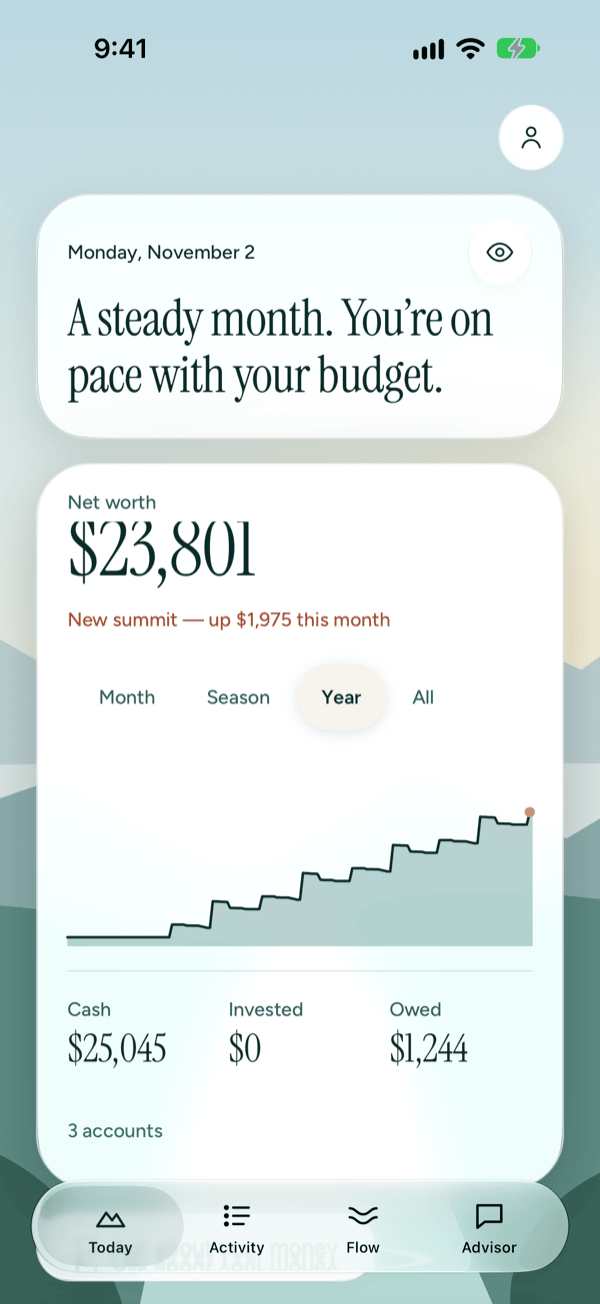
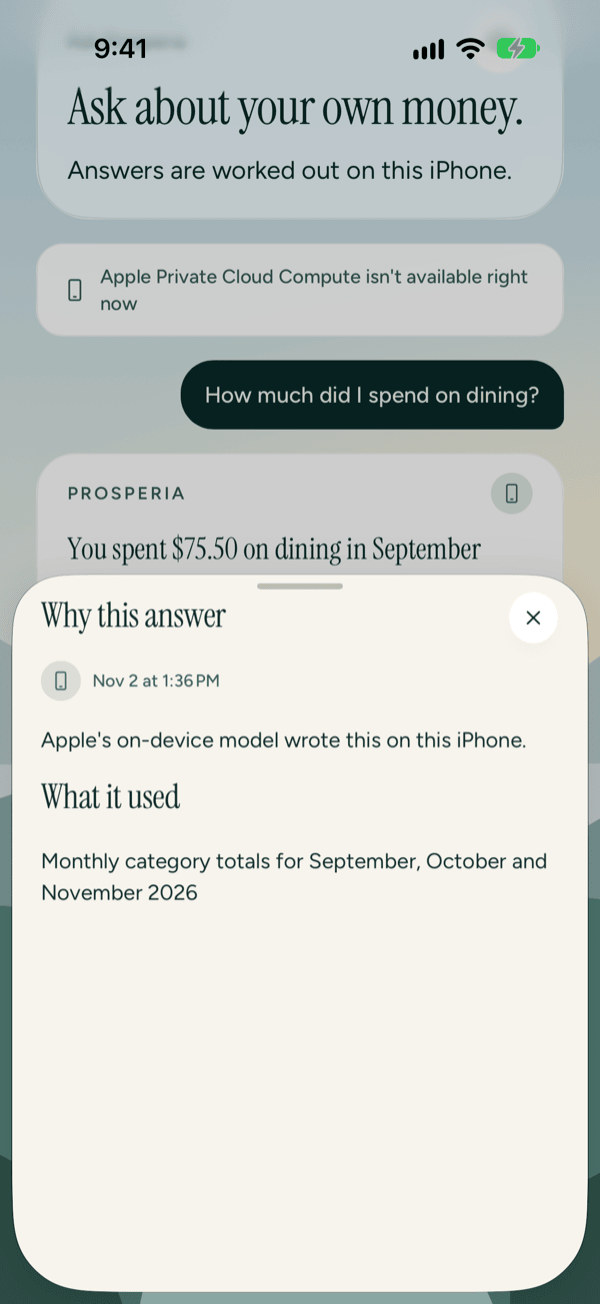
Every answer says where it ran.
Your financial data is stored on your iPhone, encrypted. When work happens anywhere else, Prosperia labels it, and every AI answer can show the transactions and rules it used. We don’t run ads, and we don’t sell or share your data; subscriptions pay for Prosperia.
On this iPhone
Budgets, Flow, bills, the forecast and payoff schedules are worked out here. So are categorizing, quick questions and anything that needs your individual transactions, on Apple’s model on your iPhone.
Apple Private Cloud Compute
On iOS 27, longer answers, like your monthly check-in, can use Apple’s secure servers. They get the text you type, monthly totals and what you’ve asked Advisor to remember. Prosperia never sends them individual transactions or account names, and Apple says it doesn’t keep them.
From your bank, through Plaid
You sign in with Plaid’s own sign-in, so Prosperia never sees your bank password. Plaid sends your bank data through Prosperia’s server to this iPhone. The server passes it along and doesn’t save it.
What leaves your phone, and where it goes
Each thing that could leave your iPhone, and what happens to it.
Read the Privacy Policy- Your bank password
- Typed into Plaid’s sign-in. Prosperia never sees it.
- Balances and transactions
- Come from Plaid through Prosperia’s server, which passes them along and doesn’t save them, into an encrypted database on your iPhone.
- Budgets, rules, notes and files you import
- Stay in that database on your iPhone.
- Questions you ask Advisor
- Answered on your iPhone, or on Apple Private Cloud Compute with monthly totals and the text you type. Prosperia’s server never gets them unless you choose to share one exchange with us.
- Crash and performance reports
- Go to Prosperia’s own server first, which removes your IP address, then crash reports go on to Sentry, our crash-reporting service, with a code in place of your iPhone’s ID. No amounts, merchants, names or anything you type. On unless you turn them off; product improvement reports are off unless you turn them on.
Setting up takes a few minutes.
Read the Getting started guide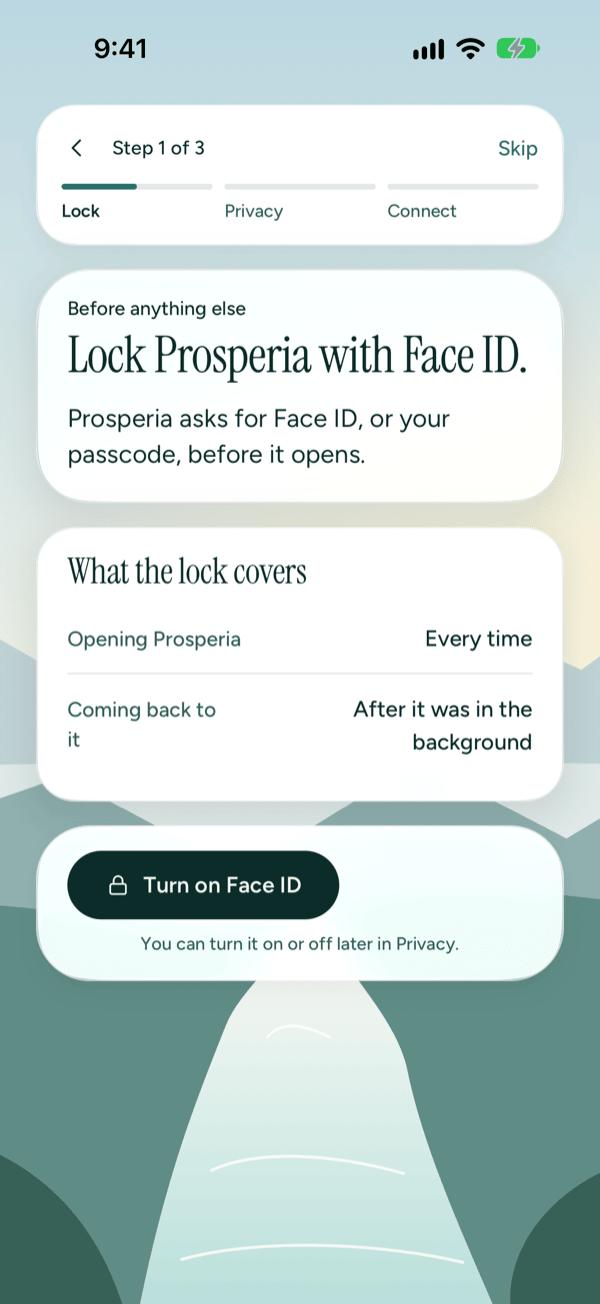
1Lock it with Face ID
Prosperia can ask for Face ID, or your passcode, every time it opens and when you come back to it. Skip it if you like and turn it on later.
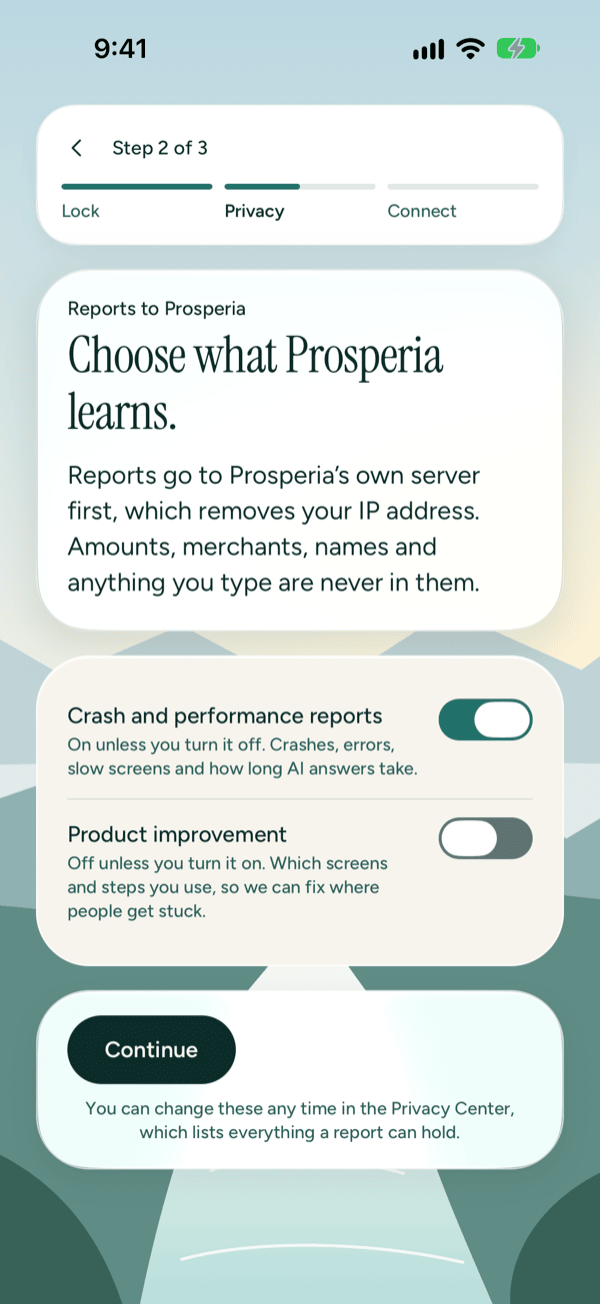
2Choose what Prosperia learns
Crash and performance reports stay on unless you turn them off; product improvement stays off unless you turn it on. Neither holds amounts, merchants, names or anything you type.
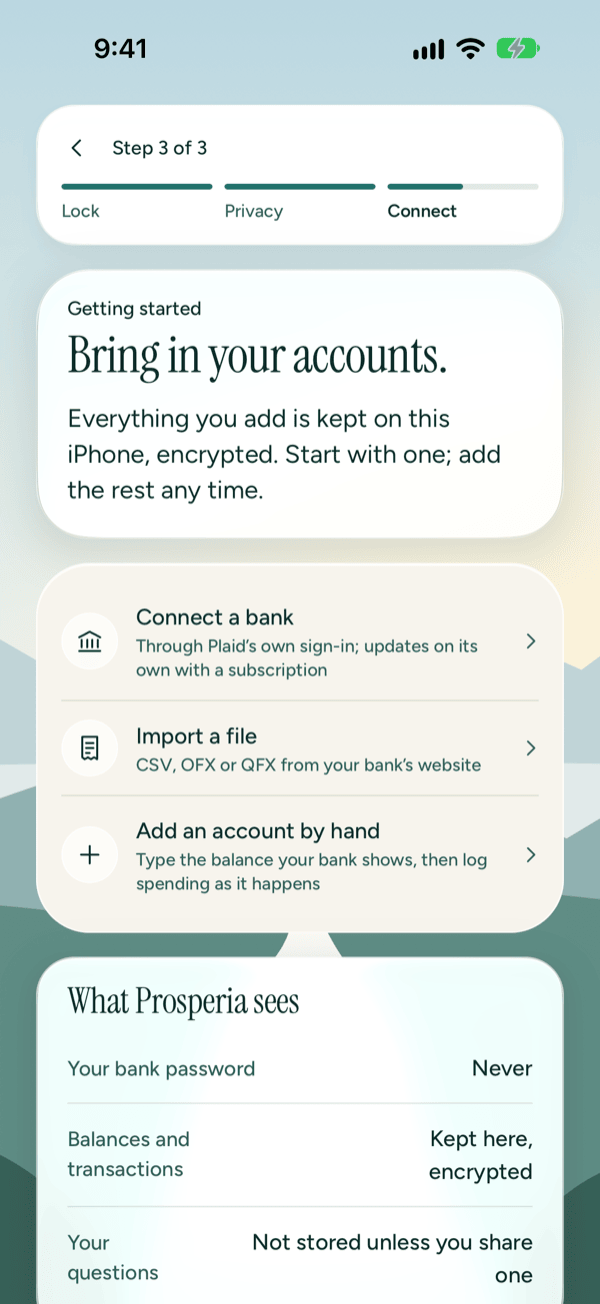
3Bring in your accounts
Connect a bank through Plaid’s own sign-in, import a CSV, OFX or QFX file from your bank’s website, or add an account by hand. Or look around first with nothing linked.
Budgeting that sorts itself, kept on your iPhone.
Fix a category once.
Activity lists every transaction, newest first: search it, split it, tag it, add a note. Change a merchant’s category with Always use this for left on, and Prosperia makes a rule on your iPhone. It applies right away to that merchant’s other purchases and to new ones, except any you set by hand.
Read the Activity guide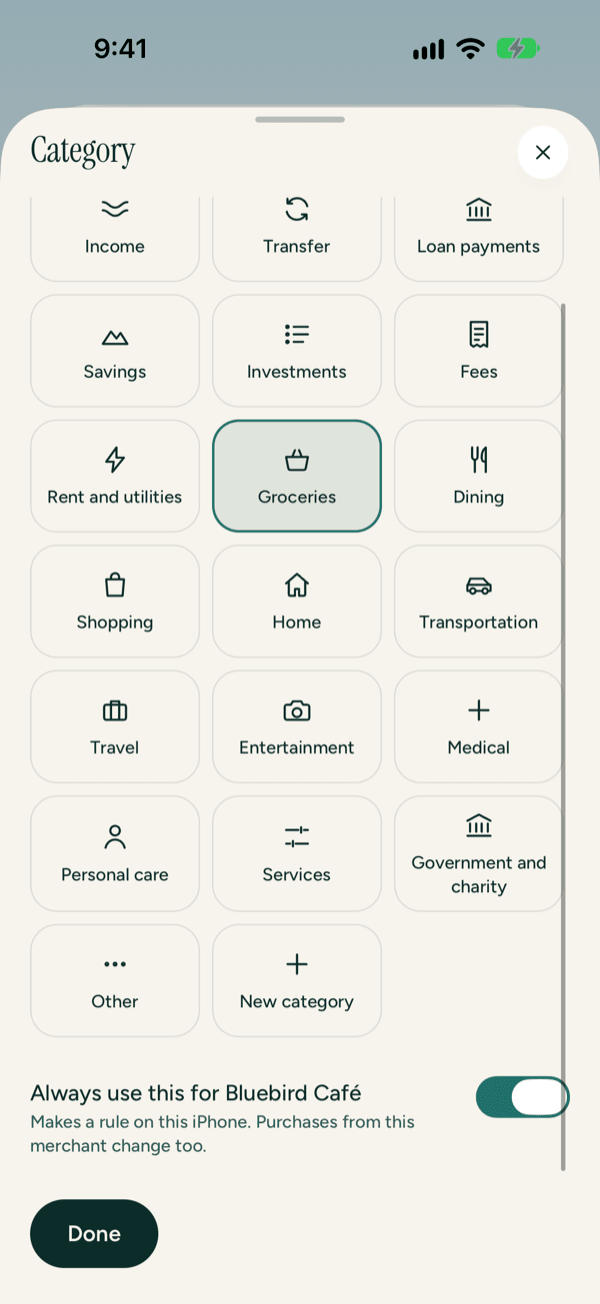
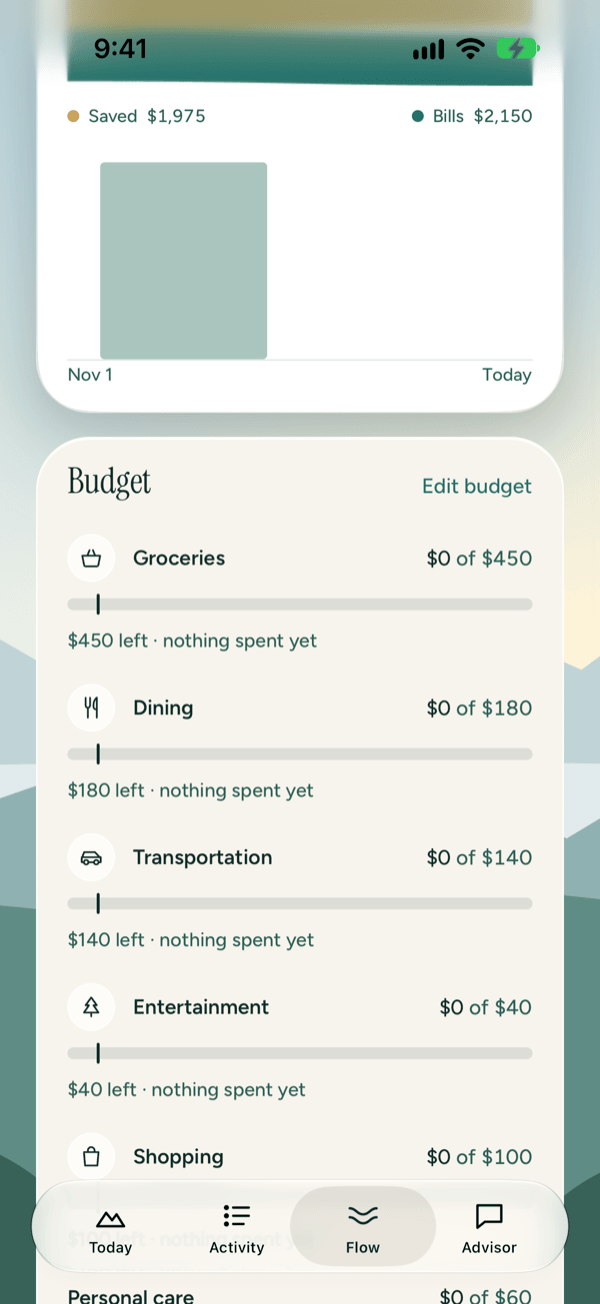
Flow and budgets
A monthly budget for each category, with an optional zero-based mode. Each line shows what’s left against where you should be today.
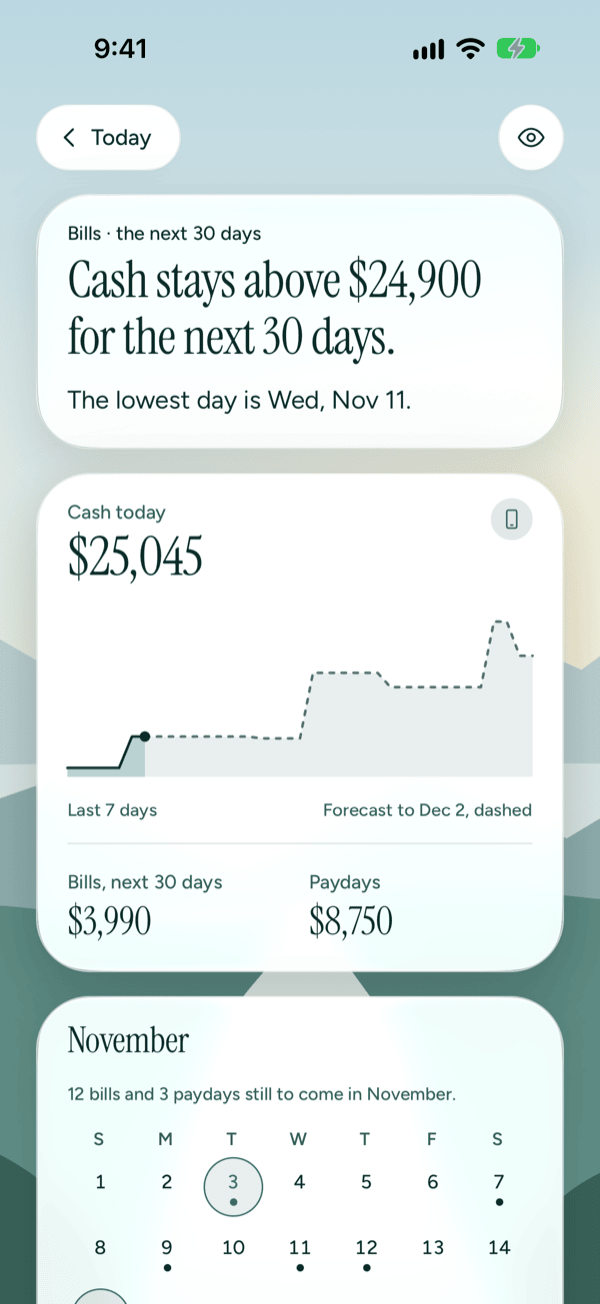
Bills and the 30-day forecast
Bills and paydays on a calendar, an optional reminder the day before each bill, and how low your cash could get over the next 30 days.
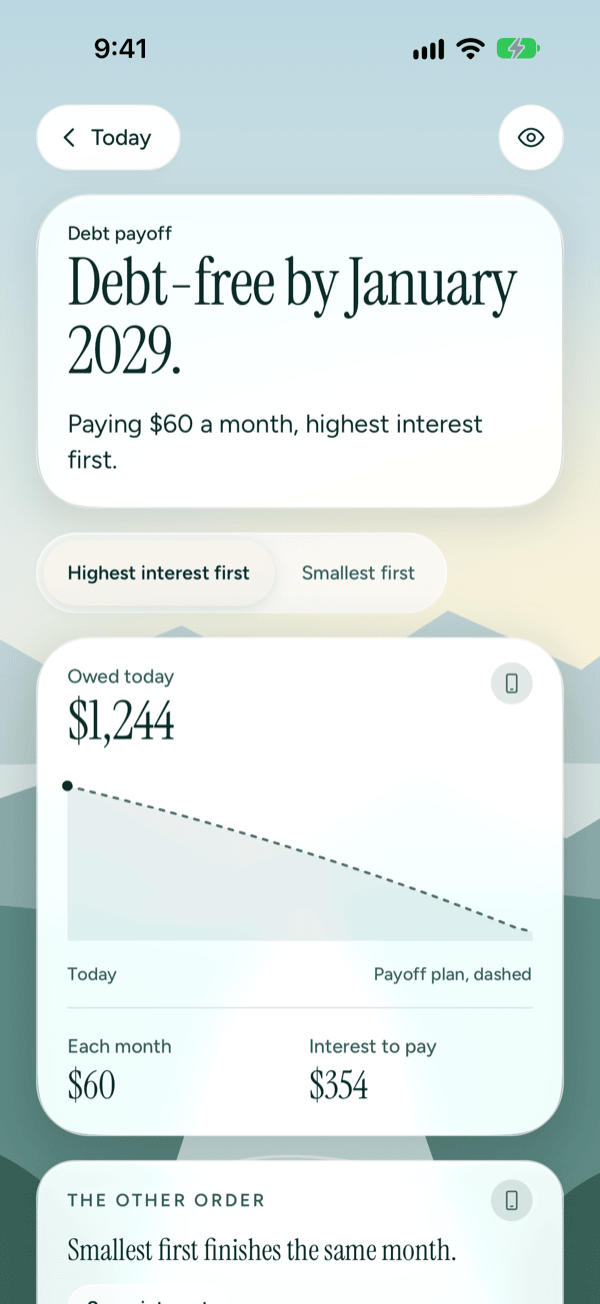
Debt payoff
Compare paying the highest interest first with the smallest balance first, and see when you could be debt-free. You make the payments from your bank as usual.
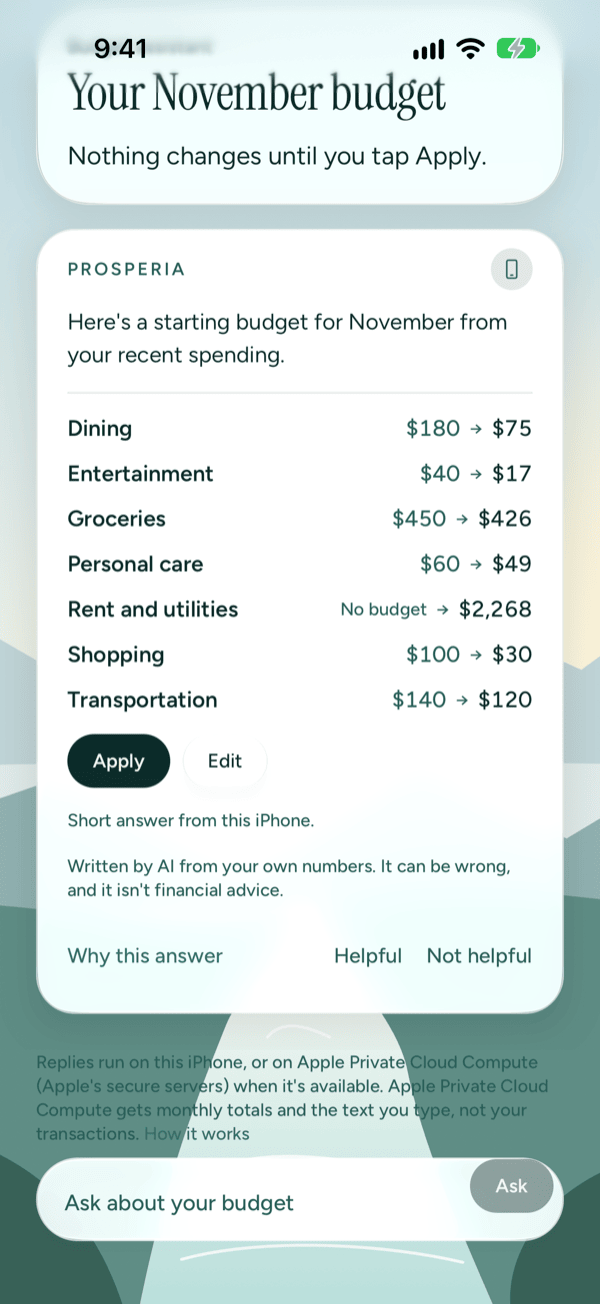
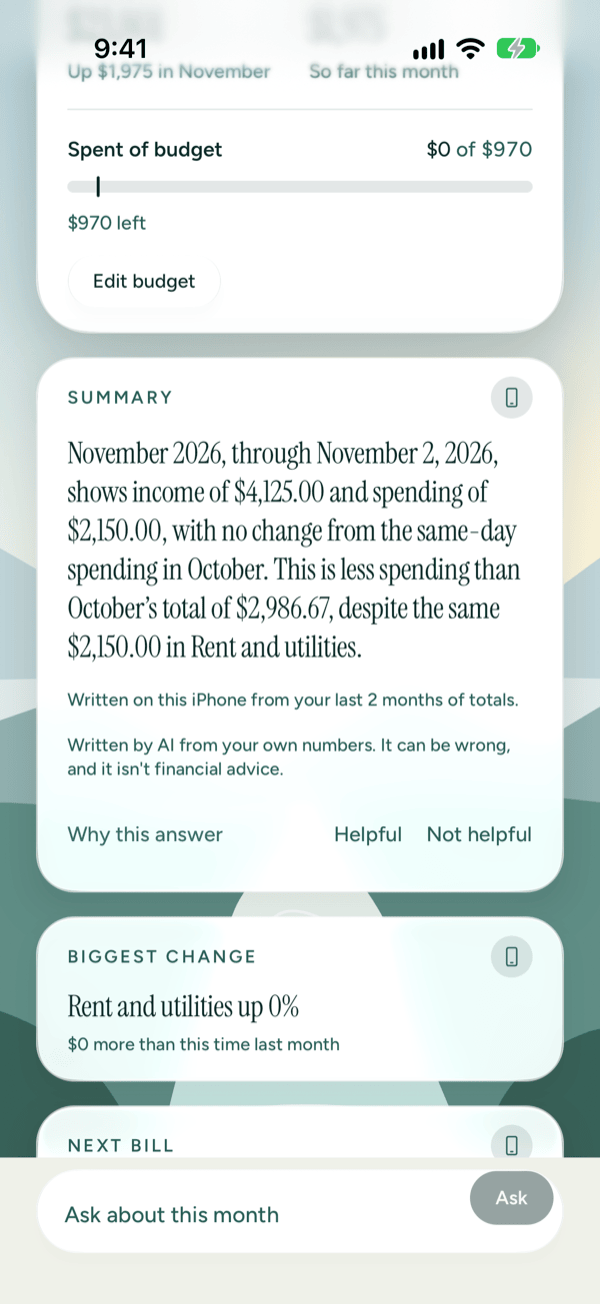
Ask about your own money.
Advisor answers questions like “How much did I spend on dining?” or “How does this month compare with last month?” from your numbers. The monthly check-in sums up how the month is going, and the budget assistant drafts a budget from your recent spending. Nothing changes until you tap Apply.
Shown where Apple Intelligence is available and turned on. Written by AI from your own numbers: it can be wrong, and it isn’t financial advice.
Read the Advisor guidePrivate on the screen, too.
- Hide amounts
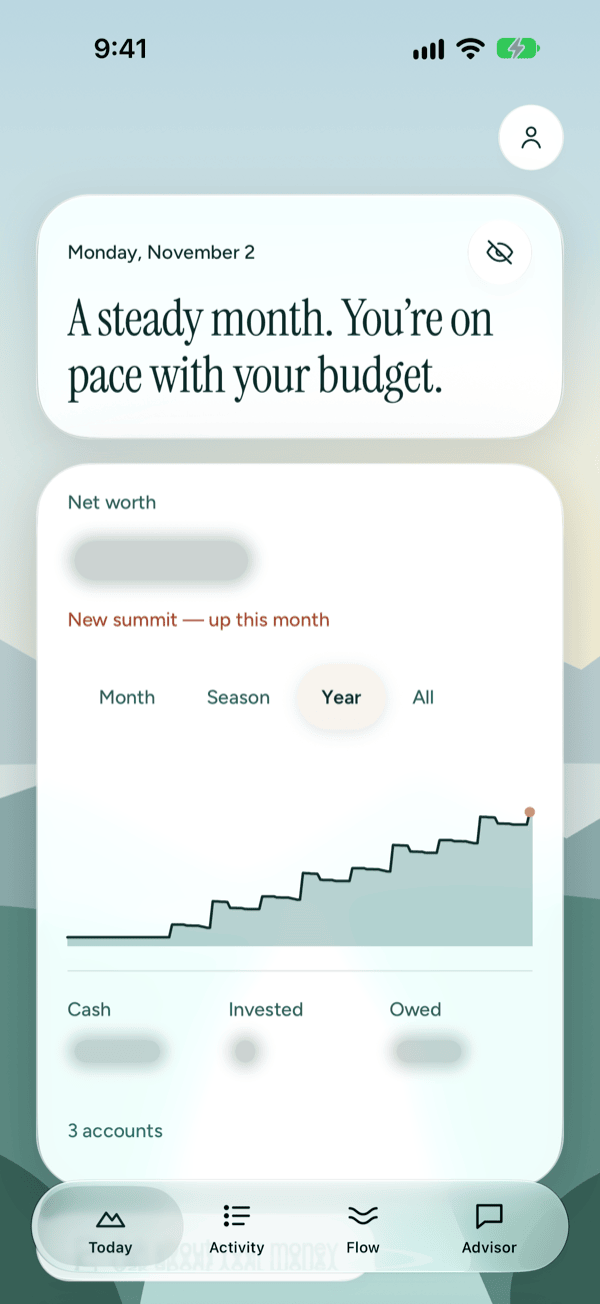
- Tap the eye at the top of any screen to blur balances and amounts, for when someone’s looking over your shoulder.
- Lock with Face ID
- Turn it on and Prosperia asks for Face ID or your passcode when it opens and when you come back to it. Lock or not, Prosperia is always blurred in the app switcher.
- The Privacy Center
- See what’s stored on your iPhone and what crosses the network, and Privacy activity for where every AI request ran. Export as CSV, JSON or an encrypted file you can restore from, or delete everything, bank connections included, in one step.
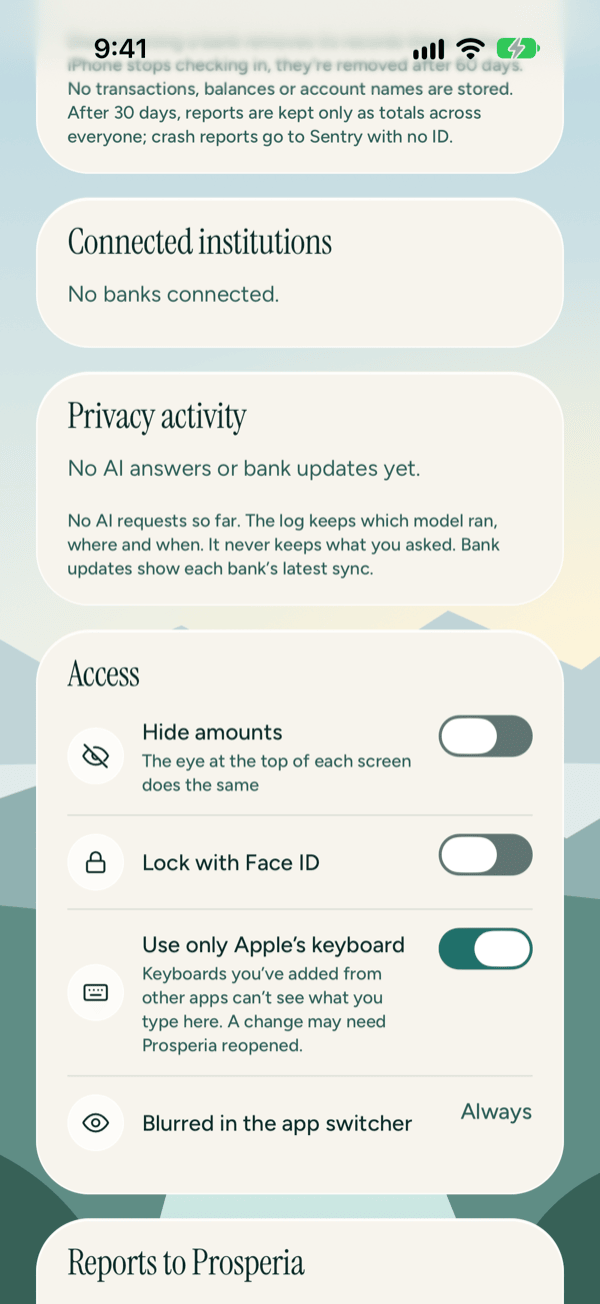
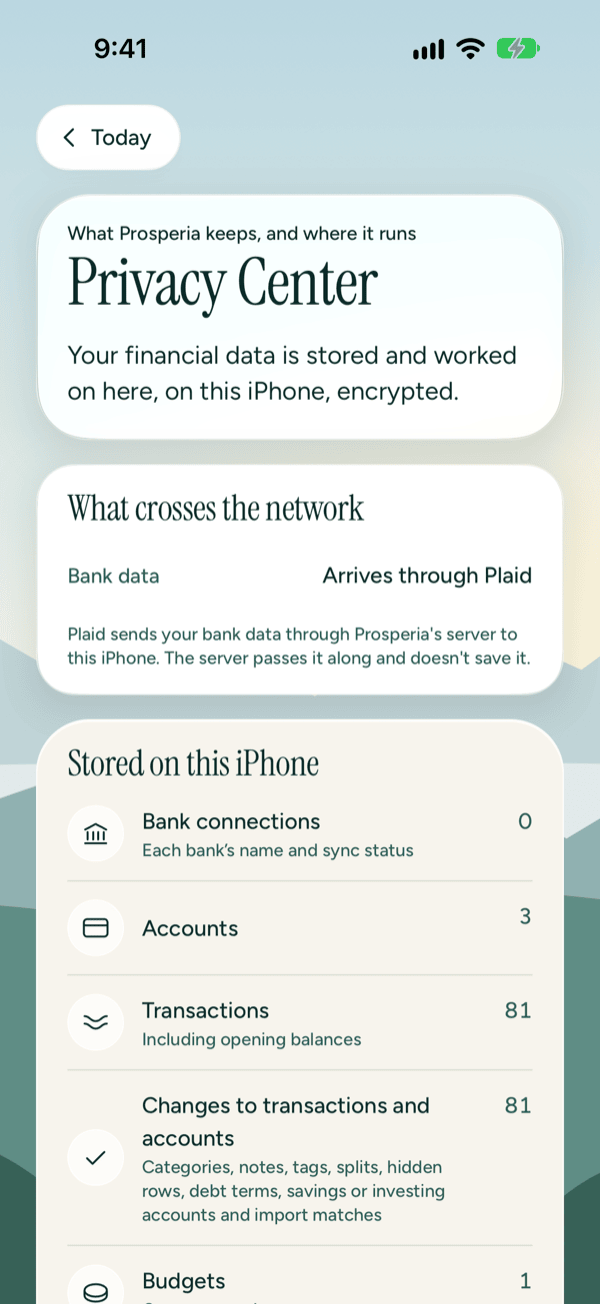
Free to use. Pay only to sync banks.
Free
$0
- Accounts you add by hand and file imports
- Budgets, Flow, bills, forecast and payoff schedules
- AI on your iPhone
- Export and delete everything
Bank sync
$5.99 a month, or $49.99 a year
- Everything in Free
- Connected banks through Plaid that update on their own
- 14-day free trial for new subscribers; cancel any time in your Apple Account
- If it ends, your data stays on your iPhone, editable and exportable
US only. Prices in US dollars; your App Store account shows the final price with any tax.
Questions
Does Prosperia store my bank data on its servers?
No. Plaid sends your bank data through Prosperia’s server to your iPhone. The server passes it along and doesn’t save it. For each bank, it keeps only what it needs to deliver sync notices and to disconnect the bank when you ask: a coded connection ID, a push token and a locked copy of the bank access key it can use only to revoke access. The Privacy Center lists everything the server keeps.
Which AI models does it use?
Only Apple’s: the model on your iPhone, and Apple Private Cloud Compute for longer answers. Apple Private Cloud Compute receives the text you type, monthly totals and what you’ve asked Advisor to remember. Prosperia never sends it individual transactions or account names. Every answer is labeled On this iPhone or Apple Private Cloud Compute.
Can Prosperia move my money?
No. It has no transfers, payments or autopay. It suggests; you decide. A suggested budget, for example, changes nothing until you approve it.
What if I stop paying?
Connected banks stop syncing. Everything already on your iPhone stays readable, editable and exportable, and you can keep going with accounts you add by hand or from a file.
Which iPhones are supported?
iPhone 11 and later on iOS 26 or later. Budgets and everything else work on every supported iPhone. AI features appear only where Apple Intelligence is available and turned on. Longer answers on Apple Private Cloud Compute need iOS 27; on iOS 26 every answer is written on your iPhone.
Is this financial advice?
No. Prosperia helps you see and organize your own numbers. AI answers are written from your data, can be wrong, and aren’t financial, tax or legal advice.
More in the help guides, or write to support@stewmore.dev.
End the month knowing where it went.
Start free with accounts you add by hand or from a file. Connect banks through Plaid with a 14-day free trial.