Advisor
Ask questions about your own money in plain words, and see where each answer was worked out.
On this page
Advisor answers questions about your own money in plain words, like "How much did I spend on dining?" or "How does this month compare with last month?". To open it, tap Advisor in the tab bar, or tap Ask about your money on Today.
Your first visit
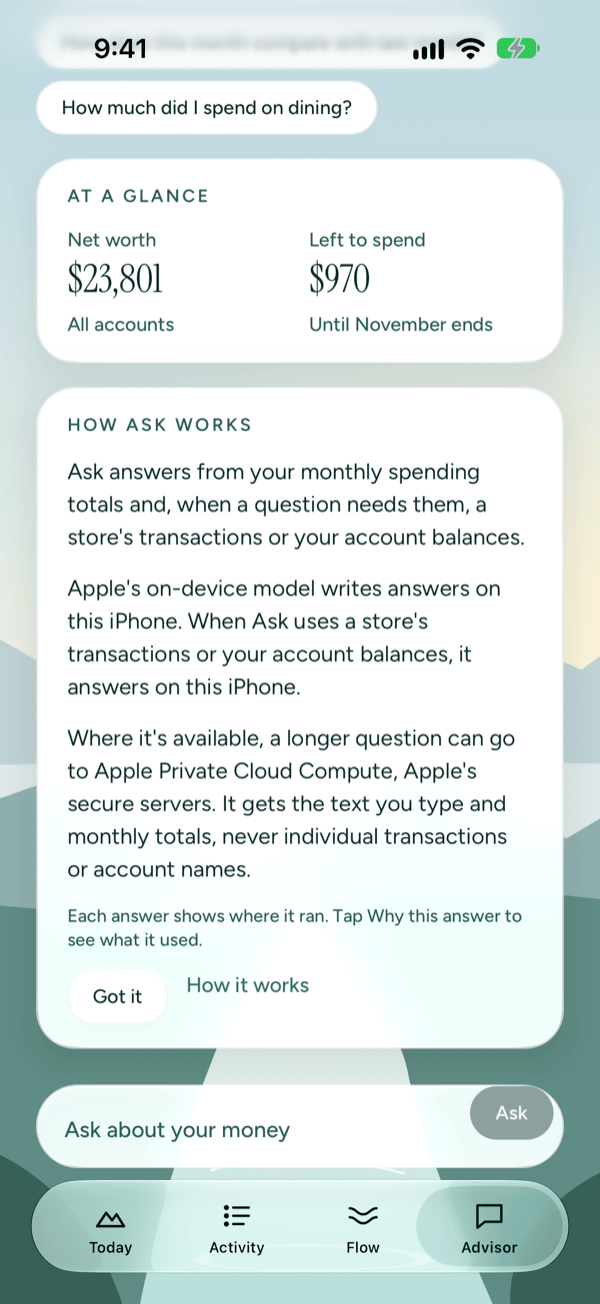
The first time you open Advisor, a How Ask works card explains where your answers are written and what each place sees. Read it, then tap Got it to close it for good. Tap How it works to open the Privacy Center for more detail.
After you close the card, a short note takes its place. To read the full card again, tap About Ask.
From the top, Advisor shows:
- The Ask about your own money. heading, with the eye button for Hide amounts.
- A status line saying whether Apple Private Cloud Compute (Apple's secure servers) is ready for longer questions, or isn't available right now.
- What should we look at?, with suggested questions.
- At a glance: your Net worth across all accounts, and how much is Left to spend this month (or how far you're Over budget). Prosperia works these out without AI.
- The How Ask works card, or the short note once you've closed it.
At a glance and the card or note appear only before you ask anything.
Ask a question
- Tap Ask about your money at the bottom of the screen.
- Type your question. You can use up to 500 characters.
- Tap Ask.
While Prosperia works, you'll see Thinking…, and then the answer appears a few words at a time.
You can also reach Advisor and have a question asked for you. On Spending, tap Ask about and the month, and Advisor asks "Where did my money go in" that month. In your monthly check-in, type in Ask about this month and tap Ask.
Use a suggested question
Under What should we look at? there are four suggestions. The first, Where did this month's name go?, opens your Spending screen. That screen is worked out without AI.
Tap any of the other three to ask it right away:
- Where did most of my money go this month?
- How does this month compare with last month?
- How much did I spend on dining?
After an answer, Advisor offers up to two more suggestions you haven't asked yet.
Stop an answer
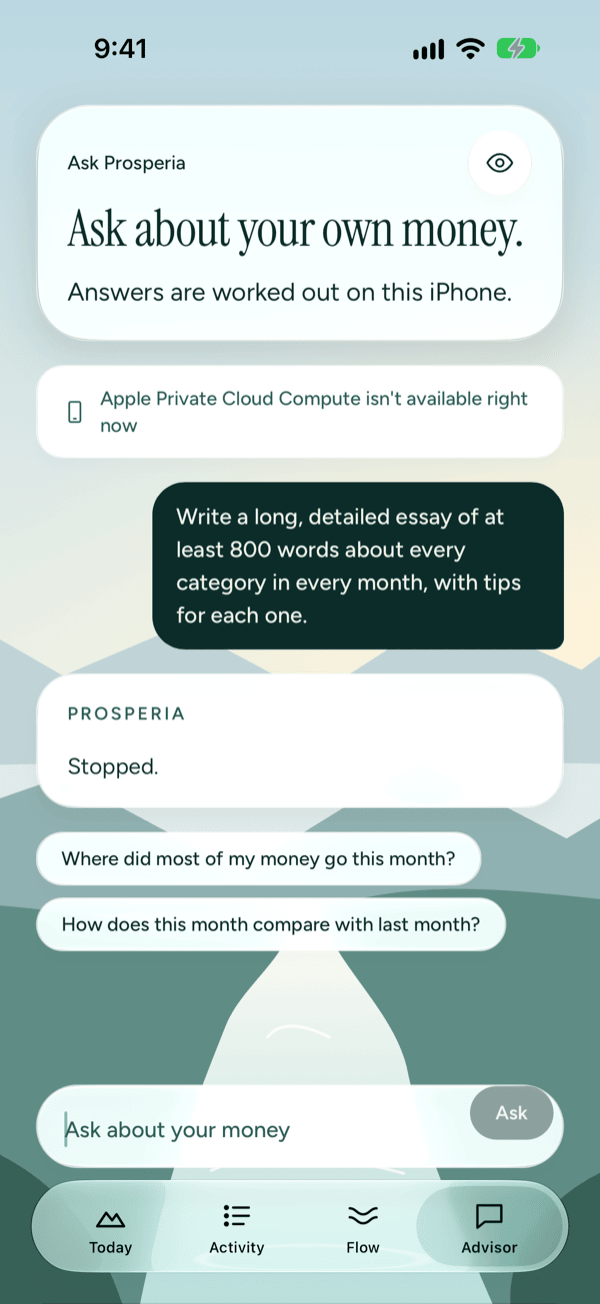
If an answer is running long or you've changed your mind, tap Stop (the Ask button changes to Stop while Prosperia is answering). The words written so far are cleared and the card reads Stopped. You can then ask something else.
Read the answer
Each answer appears in a card titled Prosperia.
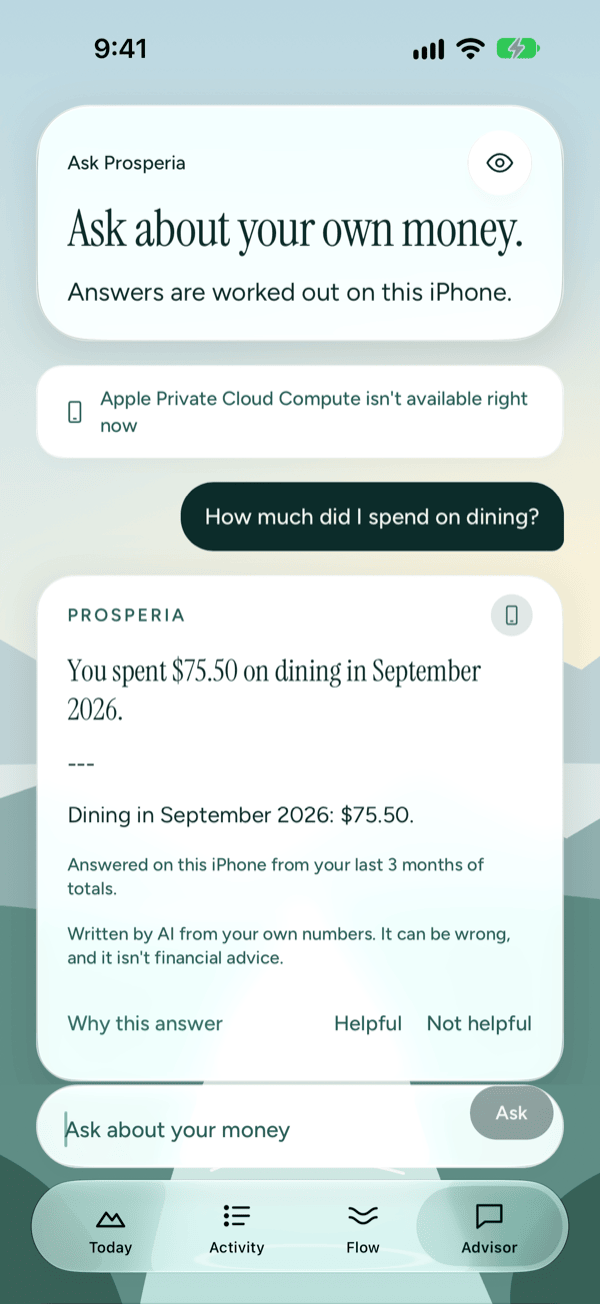
Under every finished answer you'll see:
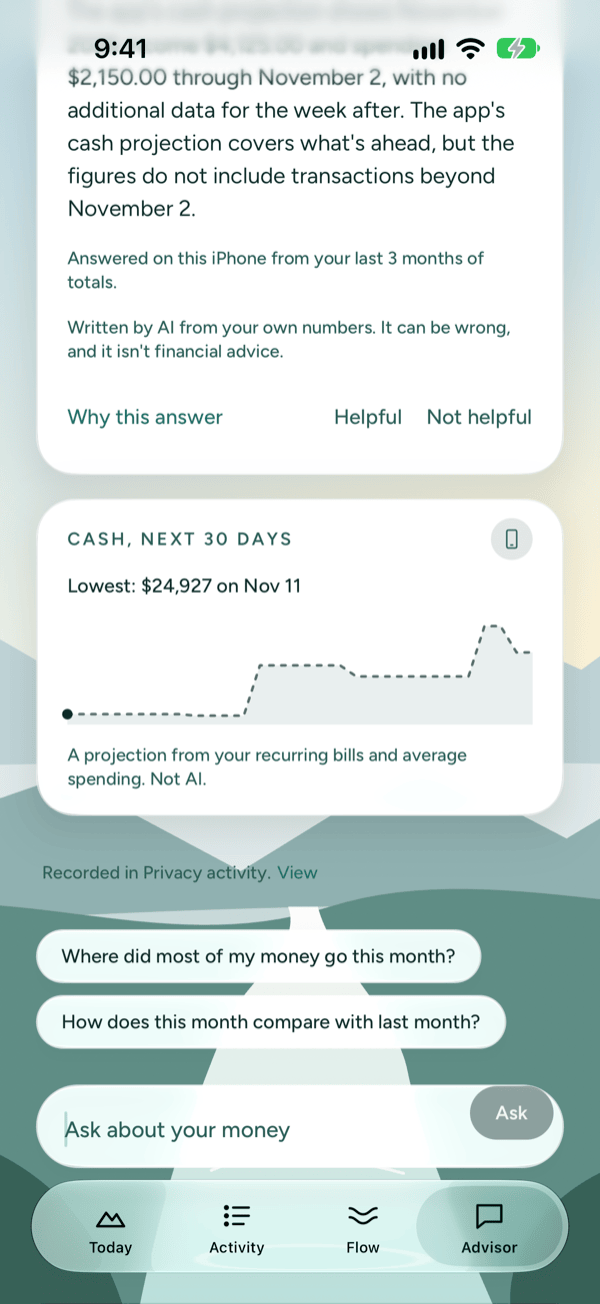
- "Written by AI from your own numbers. It can be wrong, and it isn't financial advice." Answers come from your own totals and transactions, but check anything important before you act on it.
- Why this answer: shows what the answer used. See below.
- Helpful and Not helpful: tap one to rate the answer. Prosperia receives only the rating, not your question or the answer. You can rate each answer once.
- Recorded in Privacy activity. Tap View to see the answer listed in the Privacy Center.
Where the answer ran
Next to the Prosperia title is a small icon. It appears once the answer is finished. Tap it to read where the answer was written:
- On this iPhone: Apple's on-device model wrote it on your iPhone. Any answer that uses a store's transactions or your account balances is written here.
- Apple Private Cloud Compute: Apple's secure servers wrote it. They get the text you type, your monthly totals by category and what you've asked Advisor to remember. Prosperia never sends them individual transactions or account names.
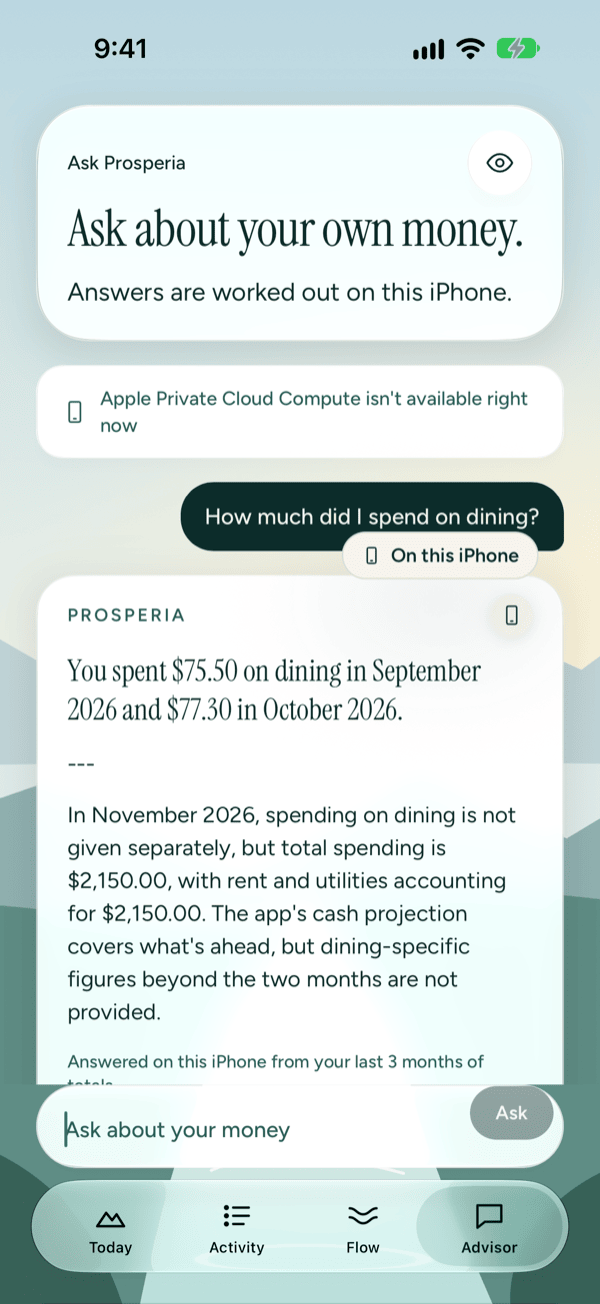
When Apple Private Cloud Compute isn't available or can't answer, and always on iOS 26, Prosperia answers on this iPhone instead and says so: Answered on this iPhone from your last 3 months of totals. It never sends your question anywhere else.
Questions about money ahead
If you ask about the days ahead, like whether you'll have enough cash next week, a Cash, next 30 days card appears under the answer. It shows your projected cash balance and its lowest point. This card comes from your recurring bills and average spending, not from AI, and it says A projection from your recurring bills and average spending. Not AI. Its icon reads Worked out on this iPhone. See Bills and forecast for how the projection works.
Why this answer
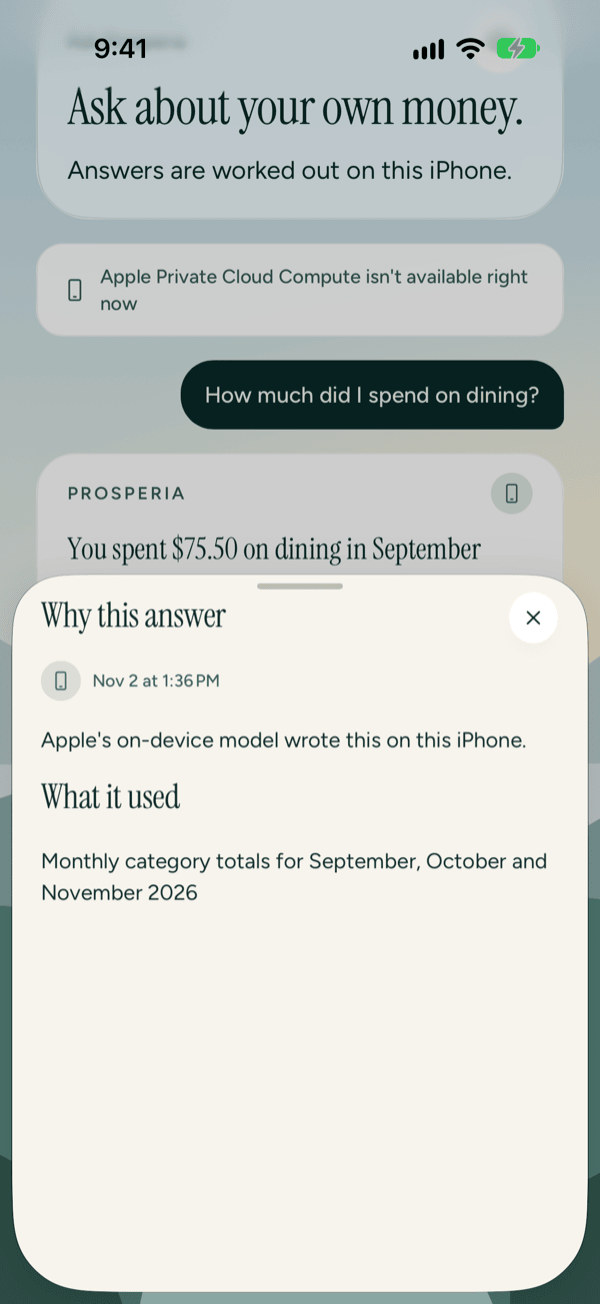
Tap Why this answer under any answer to see exactly what it used.
- Under the answer, tap Why this answer.
- Read where it ran and when, then look under What it used. You may see monthly category totals and which months, the balances of named accounts, your rules, and the individual transactions it used. If it used none of those, it says No individual transactions or rules.
- Tap the close button (×) at the top right to close it.
If you see This answer is no longer on this iPhone., that answer's record has been removed from your iPhone. If the transactions it used were removed, you'll see These transactions are no longer on this iPhone. If you see Prosperia couldn't load this answer., tap Try again.
Hide amounts
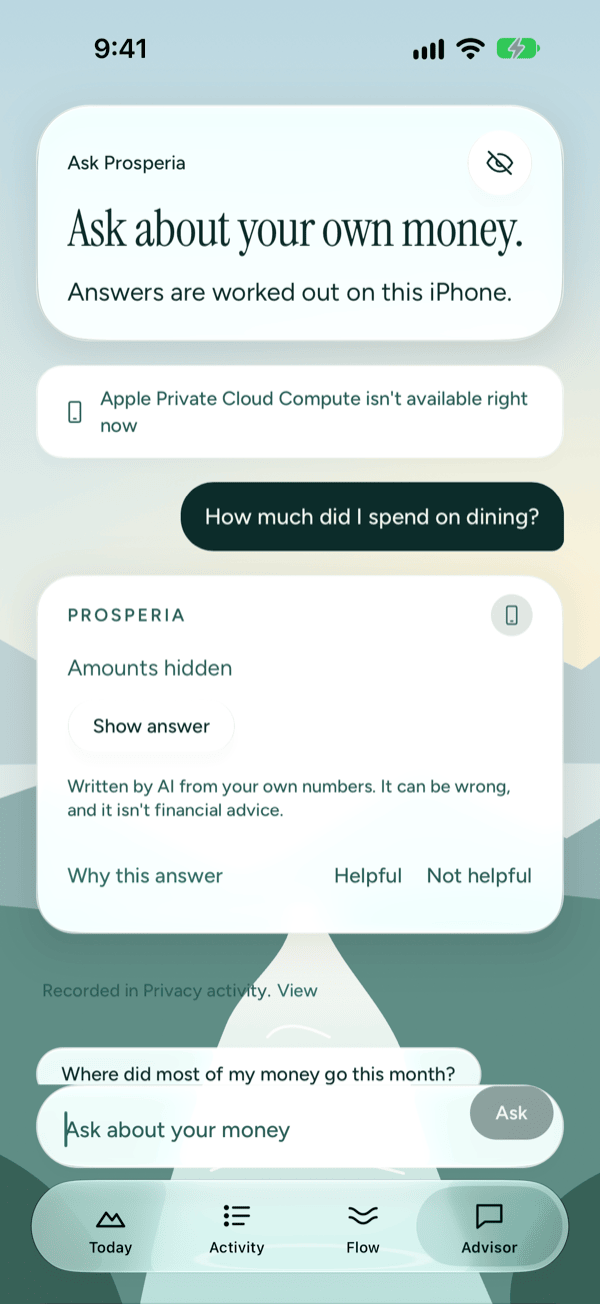
With Hide amounts on, answers stay covered and read Amounts hidden until you tap Show answer. The icon showing where it ran and Why this answer stay visible. To turn Hide amounts on or off, tap the eye at the top of Advisor.
Messages you might see
| Message | What to do |
|---|---|
| Prosperia couldn't answer that. Try again. | Ask again. Rewording the question can help. |
| Apple Private Cloud Compute isn't available right now. Try again in a moment. | Wait a moment and ask again, or ask a shorter question. |
| You've used today's longer answers. Quick answers on this iPhone still work. | Keep asking. Answers are written on this iPhone until the limit resets. |
| Ask needs Apple Intelligence. Turn it on in Settings › Apple Intelligence & Siri. | Turn on Apple Intelligence in the iPhone Settings app. |
Longer answers have a limit
Apple sets a limit on how many longer answers Apple Private Cloud Compute writes. When you're getting close, Advisor shows You're close to the limit for longer answers in Apple Private Cloud Compute. Once you reach it, you'll see You've used your longer answers for now. Quick answers on this iPhone still work., often with the time longer answers come back.
If Apple allows it, a Request more button appears. Tap it and follow Apple's steps to ask for a higher limit.
Good to know
- Advisor needs Apple Intelligence. On iPhones without it, or when it's turned off, the Advisor tab and the Ask about your money button are hidden. Budgets, spending and everything else still work.
- Apple Private Cloud Compute and the limit note need iOS 27. On iOS 26, the status line reads Apple Private Cloud Compute isn't available right now and every answer is written on this iPhone.
- Your questions and answers aren't saved. The conversation clears when you close the app. Prosperia keeps a record of each answer (which feature, where it ran, and when) in Privacy activity, never what you asked or what came back.
- Advisor explains your money. It never moves money or changes your budget.
- Answers are written by AI from your own numbers. They can be wrong, and they aren't financial, tax or legal advice.
Still stuck? See Troubleshooting and contact, or write to support@stewmore.dev.