Subscription
What’s free in Prosperia, what the subscription adds, and how to subscribe, restore, cancel or get a refund.
On this page
Most of Prosperia is free. The subscription adds one thing: banks you connect through Plaid, which then update on their own. This page explains what you get, how to subscribe, and what happens if your subscription ends.
What's free
These work without a subscription, with no time limit:
- Accounts you add by hand
- Importing files from your bank
- Budgets and Flow
- Bills and the forecast
- Debt payoff
- Exporting your data
- AI on your iPhone, where Apple Intelligence is available
See Accounts and Importing files to get started without connecting a bank.
What the subscription adds
Connected banks. You sign in to your bank through Plaid, and your balances and transactions then update on their own. Plaid sends your bank data through Prosperia's server to this iPhone. The server passes it along and doesn't save it.
| Billing | Price |
|---|---|
| Monthly | $5.99 a month |
| Yearly | $49.99 a year |
Monthly and yearly both start with a 14-day free trial for new subscribers. Subscriptions are sold in the US. The App Store shows the final price, with any tax, before you pay.
Apple sells and bills the subscription. Prosperia never sees your payment details.
Subscribe
You subscribe when you connect your first bank.
- Tap the person button on Today, then tap Accounts.
- Tap Add your money.
- Tap Connect a bank. Its line reads "Through Plaid’s own sign-in; updates on its own with a subscription".
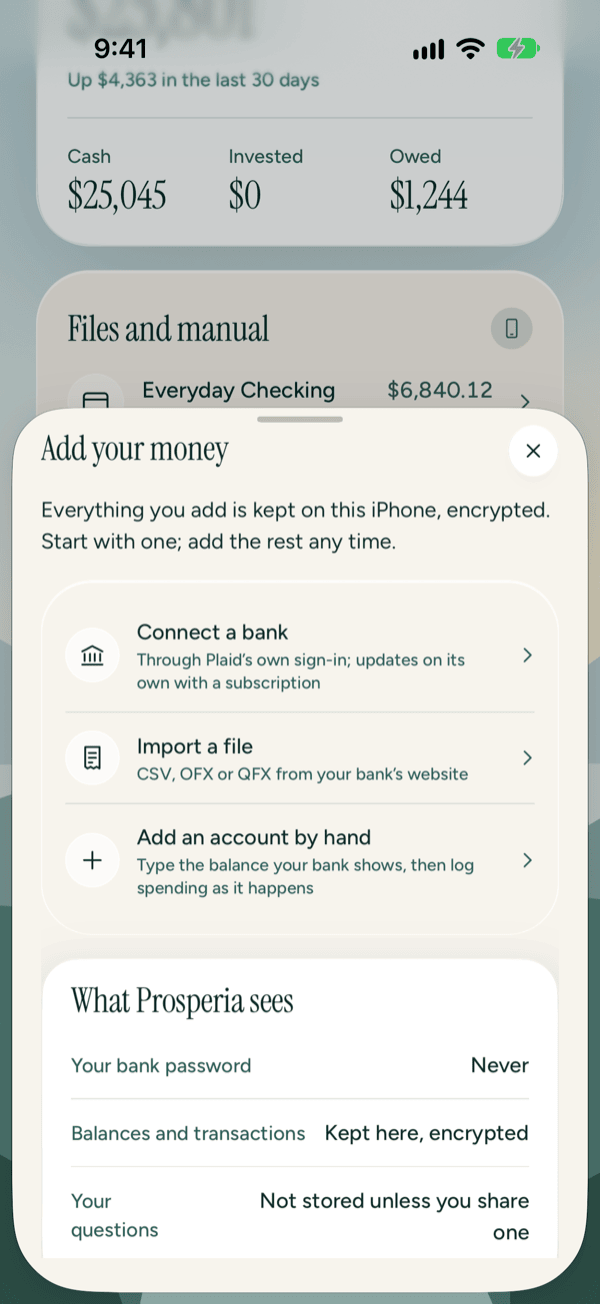
- Apple's subscription sheet opens, titled Keep your banks syncing. Choose monthly or yearly and confirm with Apple.
- Plaid's sign-in opens next. Sign in to your bank.
If you close Apple's sheet without subscribing, nothing changes. You can still import a file or add an account by hand from the same sheet.
There's more on the bank sign-in in Connecting banks.
Restore a purchase
Use this on a new iPhone, or after reinstalling Prosperia. Make sure you're signed in to the App Store with the same Apple Account you subscribed with.
- Tap Add your money, then Connect a bank.
- If Plaid's sign-in opens straight away, your subscription was found and there's nothing to restore. Sign in to your bank.
- If Apple's sheet opens instead, tap Restore Purchases. Your subscription comes back, and Plaid's sign-in opens next.
If you're moving your data from another iPhone with an encrypted export, banks don't come back connected. Reconnect them after restoring. See Privacy Center.
Cancel or switch between monthly and yearly
Apple handles this, in your iPhone's Settings:
- Open Settings.
- Tap your name, then Subscriptions.
- Tap Prosperia.
- Switch to monthly or yearly, or tap Cancel Subscription.
Cancelling stops the next renewal. Your banks keep syncing until the end of the time you've already paid for.
Deleting the app doesn't cancel the subscription. Cancel it in Settings too.
Refunds
Apple handles refunds. Go to reportaproblem.apple.com, sign in with your Apple Account, and choose the Prosperia purchase.
If your subscription ends
Your connected banks stop syncing. Nothing else changes. Everything already on your iPhone stays, and you can still read, edit and export it. You can keep adding accounts by hand or from a file.
If a bank stays without a subscription for a while, Prosperia disconnects it from Plaid. What's already on your iPhone stays. You can connect the bank again any time after you subscribe.
You can always disconnect a bank yourself, with or without a subscription. See Privacy Center.
Subscription messages
You'll see one of these messages when a subscription is missing or hasn't been confirmed yet. For other messages about a bank, see When a bank needs you.
Bank name stopped syncing
This card shows on Today, Activity and Accounts, one for each bank the subscription no longer covers. It reads:
"Subscribe to keep your banks syncing. Everything already on this iPhone stays, and you can still edit and export it, or add accounts by hand or from a file instead."
What to do: tap Subscribe on the card. Apple's subscription sheet, Keep your banks syncing, opens. Subscribe, or tap Restore Purchases if you already have one. Your banks then sync again straight away. If you close the sheet without subscribing, nothing changes.
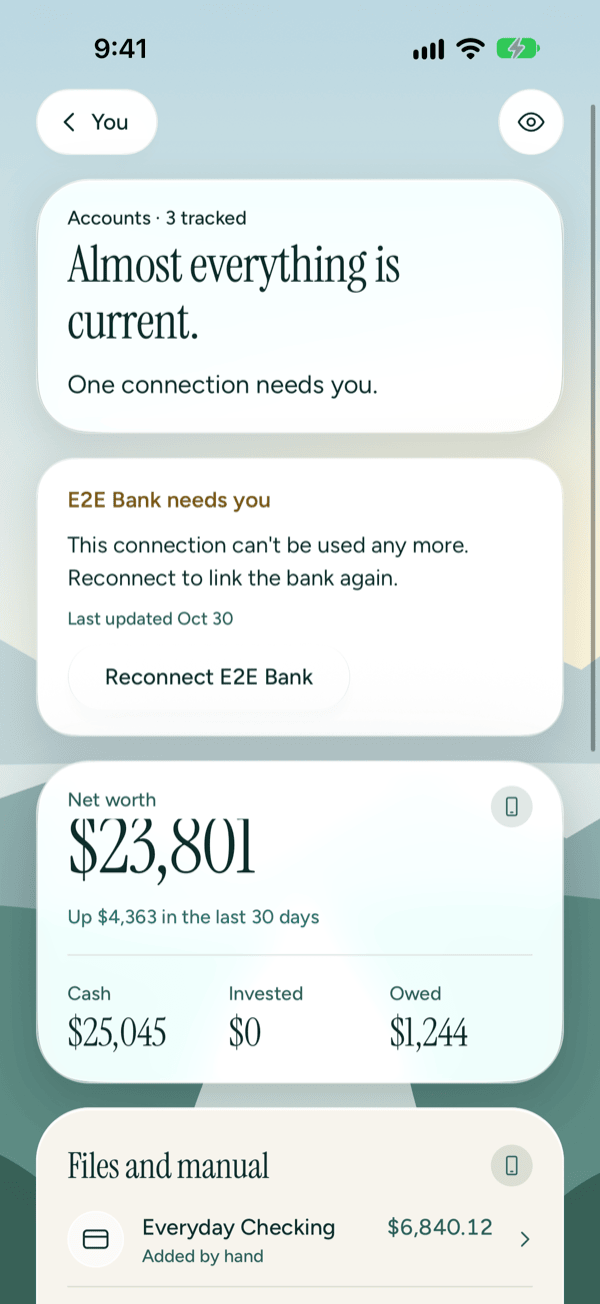
In the Privacy Center, under Connected institutions, the same bank reads "Through Plaid · Subscription ended".
Subscription ended
This message appears when you tap Connect a bank or Reconnect and Prosperia's server can't confirm a subscription. It can happen even when your iPhone shows one, for example after a refund. It reads:
Subscription ended "Subscribe to keep your banks syncing. Everything already on this iPhone stays, and you can still edit and export it, or add accounts by hand or from a file instead."
What to do: tap Subscribe to open Apple's sheet, then subscribe or tap Restore Purchases. Tap Not now to close the message without changing anything.
Your subscription couldn't be confirmed
This message can appear right after you subscribe, when Apple hasn't told Prosperia about it yet. It reads:
Your subscription couldn't be confirmed "The App Store hasn't confirmed it to Prosperia yet. Try again in a few minutes, or tap Subscribe and use Restore Purchases."
What to do:
- Wait a few minutes, then tap Subscribe on the bank's card again.
- If it still won't confirm, tap Restore Purchases in Apple's sheet.
- Still stuck? Check Settings › your name › Subscriptions to see whether the subscription is active. Then write to support@stewmore.dev.
Your subscription in the Privacy Center
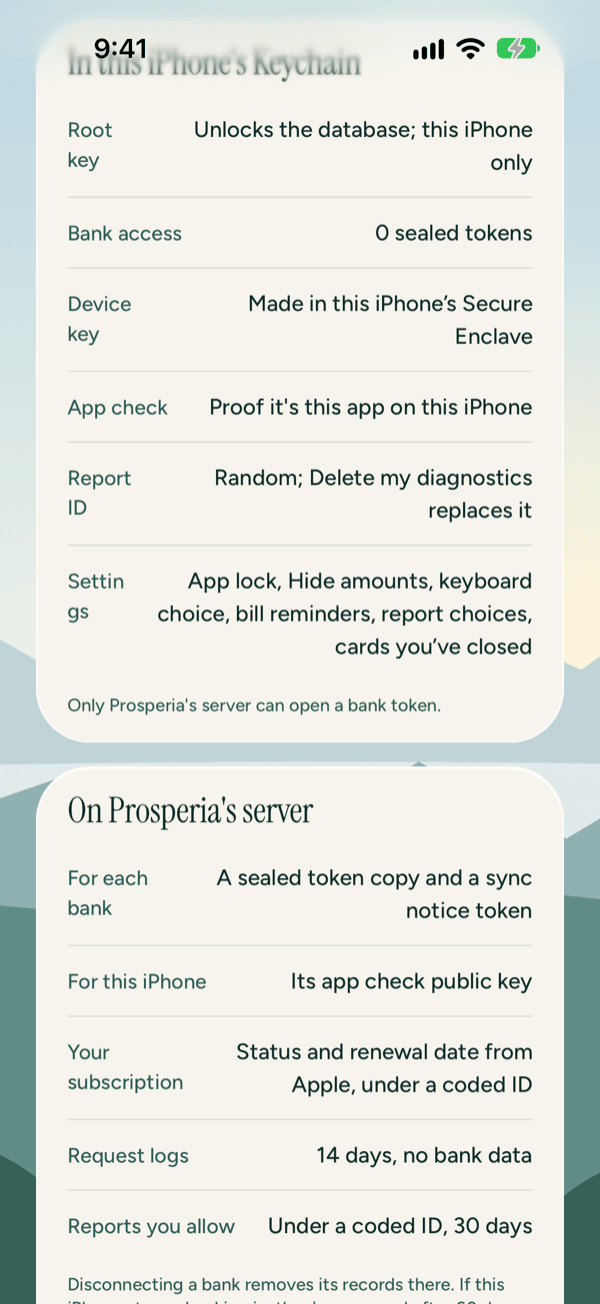
The Privacy Center lists what's kept about your subscription, and where. Open it from You › Privacy Center.
- Under Stored on this iPhone, the Subscription row: "Kept by the App Store on this iPhone; Prosperia checks it before connecting or syncing a bank".
- Under On Prosperia's server, the Your subscription row: "Status and renewal date from Apple, under a coded ID".
- Under Connected institutions, a bank that stopped for this reason reads "Through Plaid · Subscription ended".
Good to know
- The subscription covers connected banks only. Nothing you've already added is ever locked behind it.
- Prices are in US dollars, and the subscription is sold in the US only.
- The free trial is for new subscribers.
- Family Sharing isn't available for the subscription yet. Each person who wants connected banks needs their own.
- Questions about billing go to Apple. Questions about Prosperia go to support@stewmore.dev. See also Troubleshooting and contact.
Still stuck? See Troubleshooting and contact, or write to support@stewmore.dev.